
Mobile UX Research at AI Speed
Or, what to do with all the time you just saved
What makes an app worth a spot on someone’s home screen? How do you find out what people want when you can build almost anything by Friday? And how do we keep our apps from turning into the Homer? (That’s the car Homer Simpson designed with every feature he could dream up. It bankrupted the company.)

Building used to force an answer. It was slow and expensive, so you had to choose what mattered. Now anyone can build anything fast.
What’s left is the hard part: knowing what’s worth building. That’s the job of UX research. It means understanding the needs of the business and the user well enough to deliver an experience people want. When building is cheap, research matters more, not less.
I co-founded a study app for iOS, and I design it. Here are seven steps for doing research well on mobile.
1. Aim for a minimum desirable product.
Creating value beats adding delight or new features. It sounds obvious, yet here’s how a lot of apps get made now:
Have an idea! Prompt it into existence! Ship it! Add one more feature! Repeat until the app does everything and nobody opens it.
In fairness, the minimum viable product earned its place: ship the smallest thing you can, then learn from it. But viable was only ever the price of admission, and AI has made admission nearly free.
What you’re after is what Andrew Chen called a minimum desirable product[1]: the simplest version that proves people find it valuable and satisfying. Build it on a value proposition from user research, not your backlog. Prototypes are quick and cheap now, so test them early and often with real users.
When anyone can ship something viable, desirable is the only bar left.
2. Plan before you talk to anyone.
Good research starts with an honest list of what you’re guessing.
Begin with objectives: what do you need to learn, and what will you do differently once you know? Then aim at the assumptions that would sink the product if they were wrong.
Next, decide who to talk to. Can these people answer what you’re asking? (Your friends will happily try your running app. Whether any of them run is another matter.)
Then write a screener (a few short questions that check whether someone fits before you book them) and a discussion guide you can scan at a glance.
Decide how you’ll record and analyze what you hear before you hear any of it. And build a participant database as you go.
A guess you’ve written down is a guess you can test.
3. Hand over the prototype.
Describe an idea and people react to whatever they pictured. Hand them a prototype and they react to something they can hold. The closer it is to the real product, the clearer the feedback.
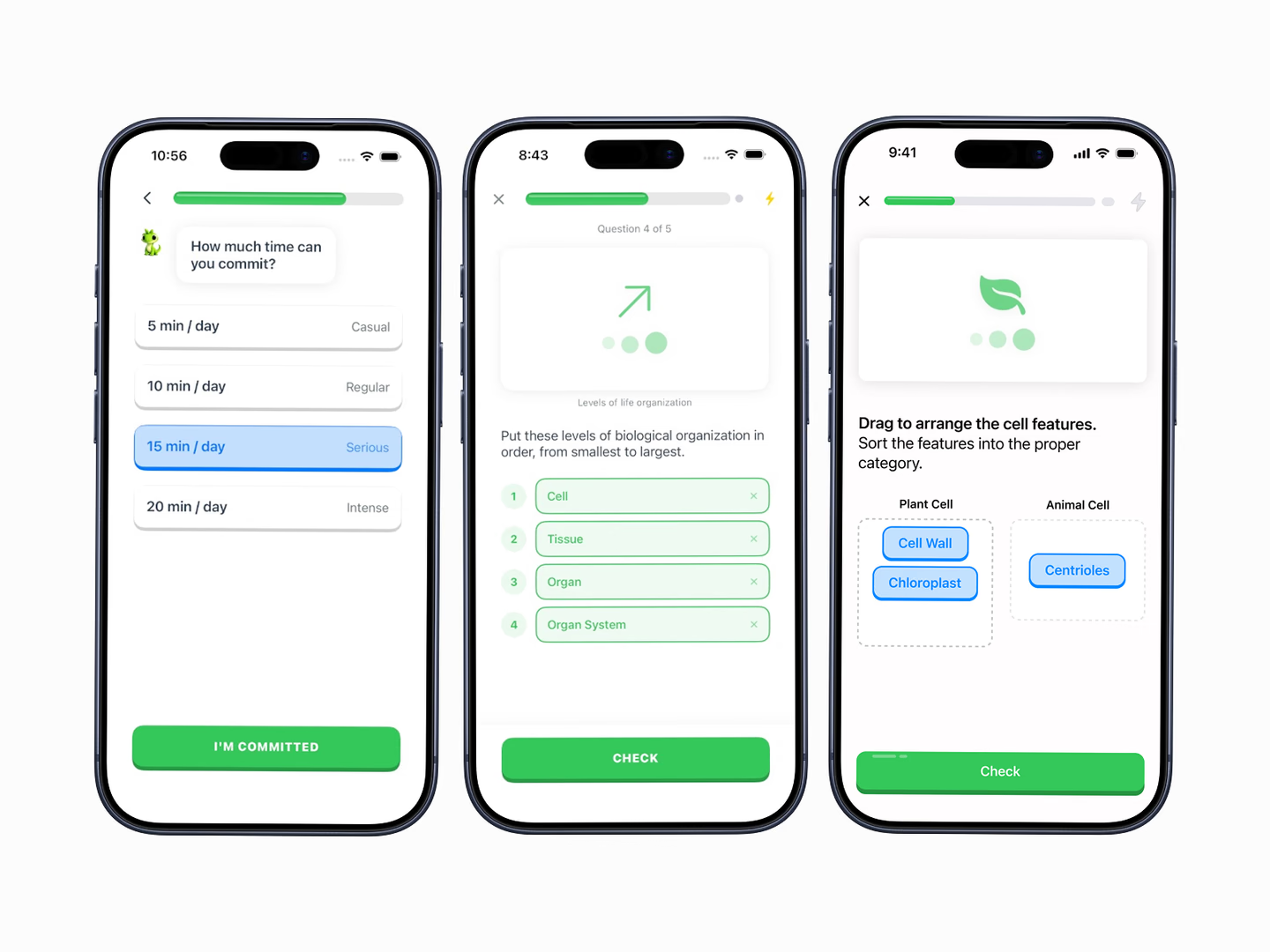
My own first round wasn’t by the book. We started building with AP exams close, so there was no time for a full research plan. V1 was a bet instead, built on secondary research and learning psychology, and the prototype was how we tested it.
The simplest way to put one to work is a task-based usability test. Imagine a food delivery app. You give someone the phone and one task: “Order your favorite dinner to be delivered to your home.”
Then stop talking and watch. What do they reach for: search, a filter, a past order? Where do they hesitate?
Don’t describe the app. Hand them the phone.
4. Listen more than you talk.
An interview is not a pitch. Your only job is to understand what people want.
People are inclined to say yes to your ideas, so give them none. (Researchers call it acquiescence bias and courtesy bias.)
Leading questions do the same damage more quietly. “Wouldn’t it be easier to reorder with one tap?” skews the answer. “How did you order dinner last night?” gets you a story, with details you can design around. (Rob Fitzpatrick wrote a whole book on this, The Mom Test: ask what people have done, not what they think of your idea.)
And don’t march through your guide in order. Let the participant steer. You’re trying to learn their mental model, how they think the thing works. Many answers, and even solutions, come from a tangent you never planned to follow.
Ask, then wait. Let the silence sit. Save your idea for the ride home.
If you’re doing most of the talking, you’re running a demo.
5a. Get out of the lab.
When you can manage it, I think ethnographic research, watching people where they actually use your product, is the best method for mobile.
Americans say they check their phones about 186 times a day, according to a Reviews.org survey[2] of roughly 1,000 U.S. adults in late 2025, down from 205 the year before[3]. Many of those checks happen with something else competing for attention: a notification, a friend mid-sentence.
A lab can recreate some of that. Only some.
Labs have their place. A controlled setting can surface plenty of problems more cheaply than fieldwork.
But people behave differently when watched. (That’s the Hawthorne effect. The original studies have been questioned, but the point holds, and it follows you into the field too.)
Imagine you run that dinner-order test in a lab. Quiet room, full attention. Everyone finishes, and the flow looks great.
Then people use it for real: on a crowded train, one hand on a pole, their stop coming up. They abandon the order at checkout. Why? Because the lab tested the flow, not the moment.
Three ways to get closer to the moment:
- Ethnographic field study: watch for the cues that trigger an action. Someone boards the train for their commute and texts their partner; the commute is the cue, and you’d never see it from a desk.
- Diary study: after a 30-minute onboarding interview, participants log every interaction with your app, often over one to two weeks. It’s self-report, so it takes a lot of oversight.
- Experience sampling: you send short prompts to people’s phones at random or set times, asking what they’re doing and feeling right then. Unlike in a typical diary study, the prompt comes to them.
You can’t design for the train from a quiet room.
5b. Go remote to keep pace.
A competitor can pop up the next day. Speed is no longer a perk.
That makes skipping research tempting. A diary study can take weeks.
But you don’t have to pick between research and speed. Remote research fits the pace, and it’s most valuable mixed with in-person interviews and usability testing.
- Remote usability testing: platforms like UserTesting record people’s screens and voices as they think aloud through your app. With AI tools, you can also build your own recorder, if participants consent.
- Remote interviews: a video call lets you ask follow-up questions and catch the facial reactions and hesitations worth probing. (Faces are easy to misread, so treat a reaction as a prompt for a question, not proof.)
Pull from your participant database. Send the link. Watch the recordings that night. Fix what broke.
Speed without research is a faster way to guess.
6. Pair every number with a why.
Most of what’s above is qualitative. Quantitative research is the numbers, and stakeholders often find numbers more persuasive.
But numbers can’t explain themselves, so use both. Here’s the quantitative kit, and what each piece can’t tell you:
- Surveys and questionnaires: these collect lots of data on preferences and pain points, cheaply and fast (Google Forms is plenty). But they’re self-report, with no way to verify what people actually do. Add logic (screening or branching questions) to filter out responses that shouldn’t count.
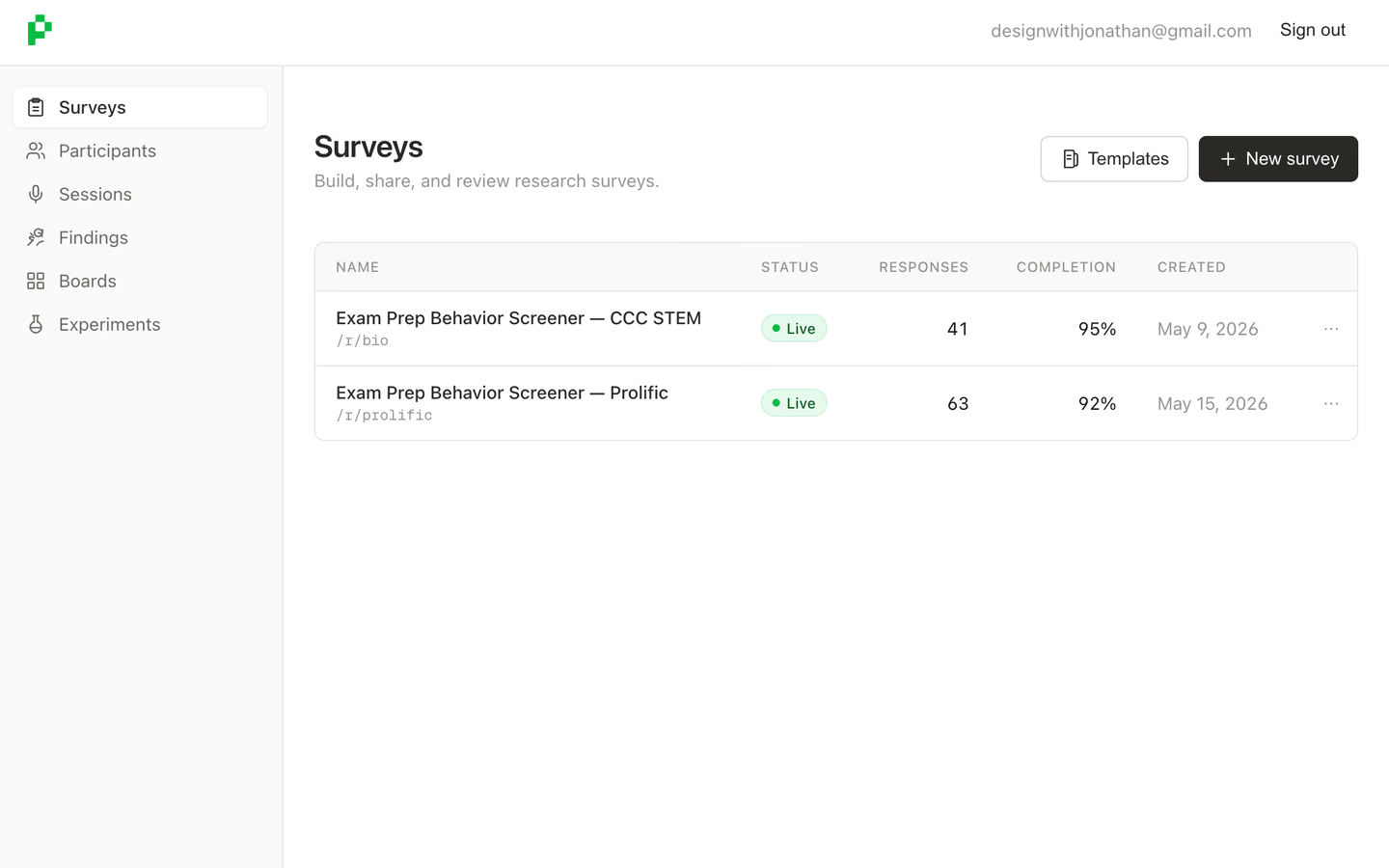
UserPhloe, the research platform I built to shape V2 of the study app. Both live surveys are screeners. - Analytics: time on screen, drop-off rates, and your most-used features. It tells you what people do, not why.
- Behavioral analysis: it tracks patterns in how people use your app, but won’t reveal intent or context.
- Automated logging: it records each user’s time and actions, but can’t answer the obvious question: why were they on the landing page this long? Confused? Reading closely? Phone face down on the counter while the pasta boiled over?
- A/B testing: it compares a new solution with the existing one on engagement and conversion. It’s complex and fragile: peek at the results early, stop when they look good, and you’ll crown winners that aren’t real.
Keep screen recording and heat mapping within reach, too.
Numbers tell you where to look. People tell you what you’re looking at.
7. Turn what you learned into decisions.
Research is only worth what you do with it.
Summarize your findings while they’re fresh. One great quote is an anecdote. The same hesitation from person after person is a pattern.
Then sort what you found by what it changes. Some findings change what you build next. Some change what you cut. Some only tell you what to ask in the next round.
And there should be a next round. Let each one build on the last.
A finding nobody acts on is trivia.
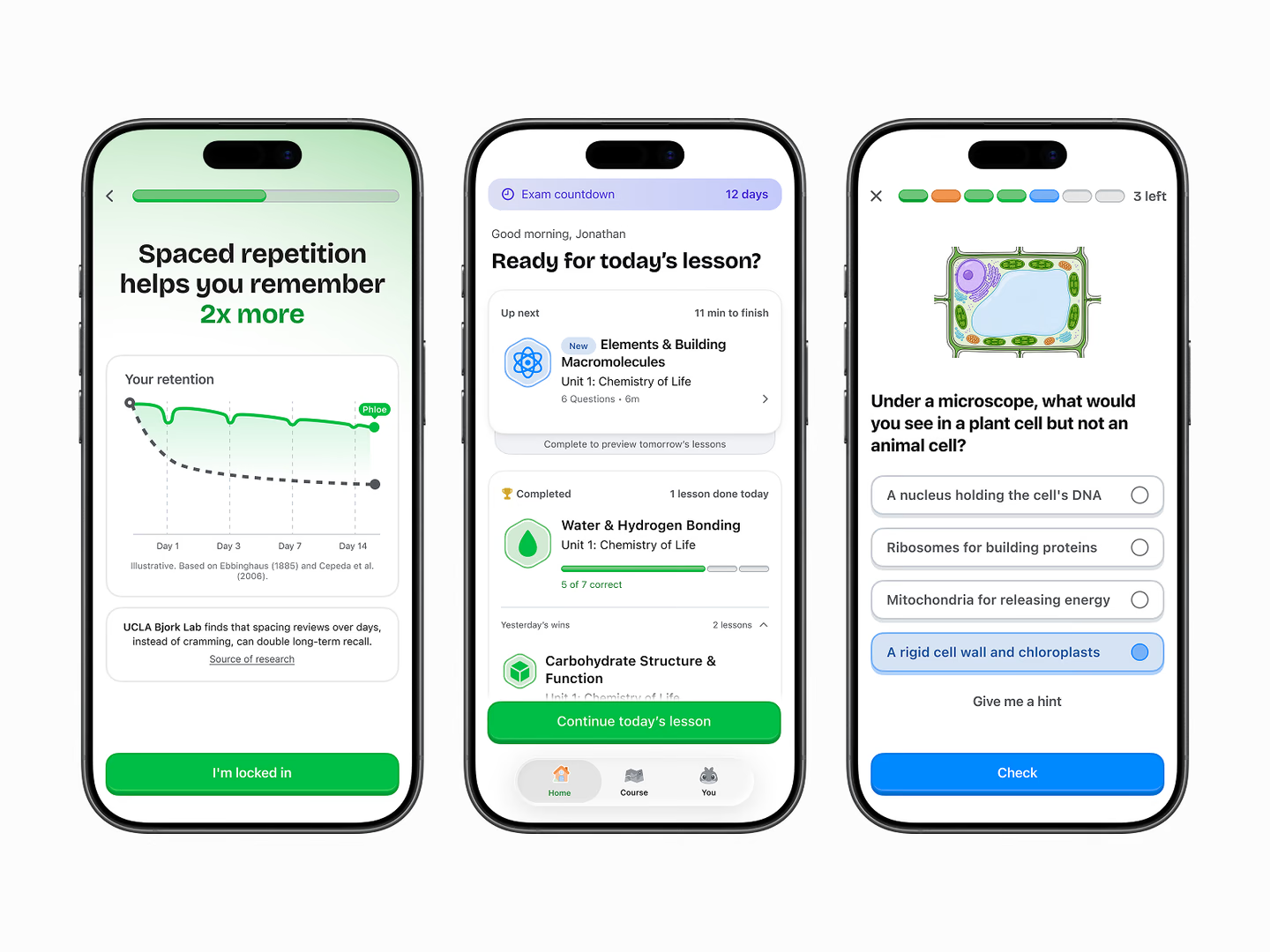
Find out what goes in the gray boxes.
Look at the cover one more time. The next lesson, the progress bar, yesterday’s wins: each one runs to the middle of the screen and turns into gray boxes. Even the headline stops at “Ready for tod.”
Every product looks something like that from the inside. The finished half is what you know. The gray half is what you’re still guessing.
AI can fill in the gray boxes in an afternoon.
Only the people holding the phone know what belongs in them.
Further reading: Lorraine Paterson’s 2011 overview of mobile user research methods[4]. It lands closer to the lab than I do. And the Interaction Design Foundation’s “Usability vs Desirability in Mobile UX”[5] makes the case that usability is the baseline and desirability is what sets a product apart.
- Andrew Chen, Minimum Desirable Product, andrewchen.com. Read the post
- Trevor Wheelwright, Reviews.org’s 2026 cell phone usage report: an online survey of about 1,000 U.S. adults in the fourth quarter of 2025. The counts are self-reported. Read the report
- Reviews.org’s 2025 cell phone usage report: 1,000 U.S. adults, who read the number off their phone’s Screen Time. Read the report
- Lorraine Paterson, Mobile user research methods, February 22, 2011. Read the post
- Interaction Design Foundation, Usability vs Desirability in Mobile UX, 2015, updated 2026. Read the article